
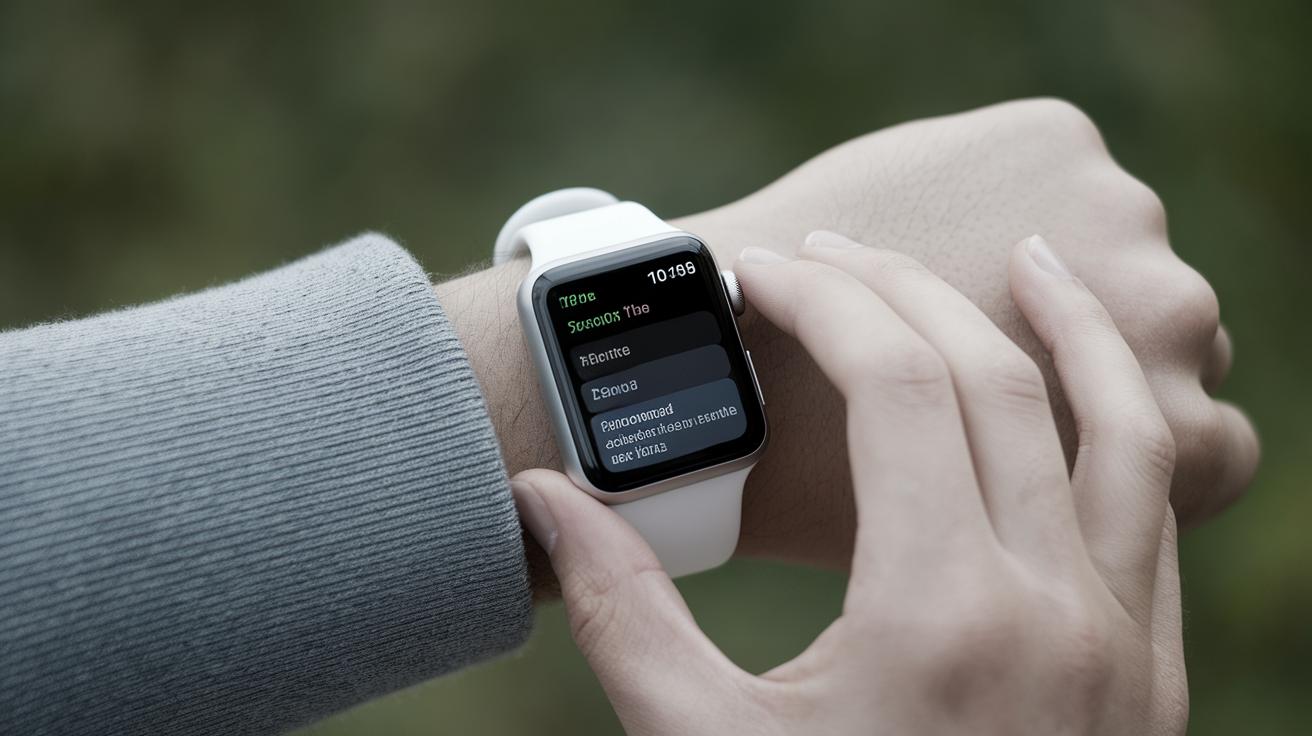
How Accurate Are Apple Watch Calories?
The Apple Watch has become a staple for fitness enthusiasts, offering features that help users track their health and exercise metrics. One of the most popular features is its ability to calculate calories burned, both during exercise and daily activities. However, questions regarding the accuracy of these calorie estimates persist. This article will explore how the Apple Watch calculates calories, the factors affecting its accuracy, and provide tips and tricks to improve accuracy. Additionally, it offers a guide on managing your data in the Health App and selecting exercises for optimal results. Ultimately, understanding the Apple Watch’s calorie tracking system can enhance your fitness experience.
How Does Apple Watch Calculate Calories Burned?
Apple Watch calculates calories burned using a combination of sensors and algorithms designed to estimate energy expenditure. It measures active calories, which account for those burned during movement, through its multiple accelerometers and heart rate sensor. Additionally, it considers all-day calorie burn by estimating basal metabolic rate (BMR)—the number of calories needed to maintain vital functions at rest—based on personal user information.
The calibration with real-world activities further refines these estimates over time. The built-in accelerometer detects movements, while the optical heart sensor measures pulse rate, allowing for more accurate tracking of energy expenditure. However, variations in individual movements and heart rate patterns can affect these calculations.
How to Improve Apple Watch Calories Burned Accuracy
Improving calorie burn accuracy on your Apple Watch involves a combination of software updates, personal data validation, and thoughtful calibration. Ensure your WatchOS is up to date, as software upgrades often include improvements to the algorithms used for measurement. Regularly check and update your personal data like height, weight, and gender in the Health App for more precise BMR and daily burn estimations.
Calibration is also essential. By repeating specific activities, while wearing your watch in the way the manufacturer recommends, you help fine-tune its sensors to better understand your unique activity patterns. This routine can make a substantial difference in daily activity tracking, providing a more personalized estimate of energy expenditure.
Editorial Ethics
When discussing the accuracy of calorie-tracking tools, it’s important to acknowledge the limitations inherent to all wearable technologies. While Apple makes strides in improving algorithm precision and sensor technology, there’s always a degree of variability. Understanding these limitations helps set realistic expectations and inform fitness decisions.
What to Know
Apple Watches are designed to offer a reliable estimate of calorie expenditure, but not flawless precision. The quality of calorie measurement can vary with different workout types and individual user characteristics. Despite its advanced technology, the watch provides estimates rather than exact figures. Realizing this assists in using its data as a beneficial guide rather than an absolute measure.
Active Calories vs. Total Calories
The difference between active and total calories is crucial. Active calories refer to those burned during physical activity. In contrast, total calories include active calories plus basal calorie burn. Understanding this distinction helps users contextualize their daily and workout-specific calorie counts, allowing improved tracking aligned with fitness goals.
How to Update Your Height & Weight in the Health App
To ensure your Apple Watch gives you the most accurate calorie calculations, regularly update your height and weight in the Health App. Go to the Health App on your iPhone, tap on your profile picture in the upper-right corner, then select Health Details. From there, you can adjust your measurement details which Apple Watch uses to calculate BMR and thus, influence calorie estimations.
Pro Tip
Frequent recalibration when engaging in common activities can significantly enhance accuracy. This involves repeating specific types of exercise while ensuring your watch remains snug on your wrist, allowing it to record consistent data that better reflects personal movement and energy patterns.
How to Calibrate Apple Watch
Calibration requires outdoor walking or running with GPS, creating benchmarks that optimize accuracy. To calibrate, first go to an open outdoor area with clear skies. Open the Workout app, select Outdoor Walk or Outdoor Run, and walk or run at your natural pace for about 20 minutes. Ensuring correct watch fit during this helps optimize sensor readings.
How to Select An Apple Watch Exercise for Best Calories Burned Accuracy
Choosing the right exercise type for your activity in the Workout app is critical. Apple Watch has preset options that you should align as closely as possible with your activity, as these presets are designed with specific calorie estimation algorithms. For example, selecting “Indoor Cycling” rather than a generic “Other” workout will likely yield more accurate calorie calculations when cycling.
FAQ
It’s natural to have questions about technology that tracks your health metrics. Here are a few common inquiries: How do the heart rate sensors contribute to calorie calculations? Can I trust the calorie count in high-intensity versus low-intensity workouts? What activities tend to overestimate or underestimate calorie expenditure?
Related topics
Engaging with more topics on technology and lifestyle can further refine your understanding and enhance the use of personal gadgets. Explore the intersection of health and technology, and how to maximize these tools for improved fitness and well-being outcomes.
Related Articles
- Organize Your iPhone Home Screen & Apps
- FIXED: Why Does My Wallpaper Keep Disappearing on My iPhone?
- Keep Home & Work Separate with Safari Profiles
- Create a Hand-Washing Song with This Shortcut
- How to Automatically Forward Text Messages to Another Phone
- What Does CC Mean in Email? Quick Email Terminology Guide
- How to Fix the 6 Most Annoying iOS 18 Update Settings
- Fixed: iCloud Sign Out Is Not Available Due to Restrictions
- MacBook Control Center: Manage Media, Volume, Bluetooth & More
- When & How to Watch Apple’s October 30 ‘Scary Fast’ Event
- See Who Is Connected to Your Hotspot & Remove Them
- Is Tesla Premium Connectivity Worth It?
- Can You Allow Paste in All Apps for Items Copied to the Clipboard on iPhone
- How to Turn Off RTT (Real Time Text) on an iPhone
- How to Restore Missing Calendar Events on iPhone
- iPhone Charging but CarPlay Not Working? Here’s the Fix!
Future Prospects
| Aspect | Details |
|---|---|
| Accuracy | Depends on algorithms and sensor calibration; reasonable but not foolproof. |
| User Contribution | Regular updates of personal data and exercise calibration improve accuracy. |
| Technology | Continual advancements in wearable tech could enhance future accuracy. |
| User Tips | Frequent recalibration and correct exercise selection boost reliability. |
| Limitations | Understanding inherent limitations leads to better use and realistic goal setting. |