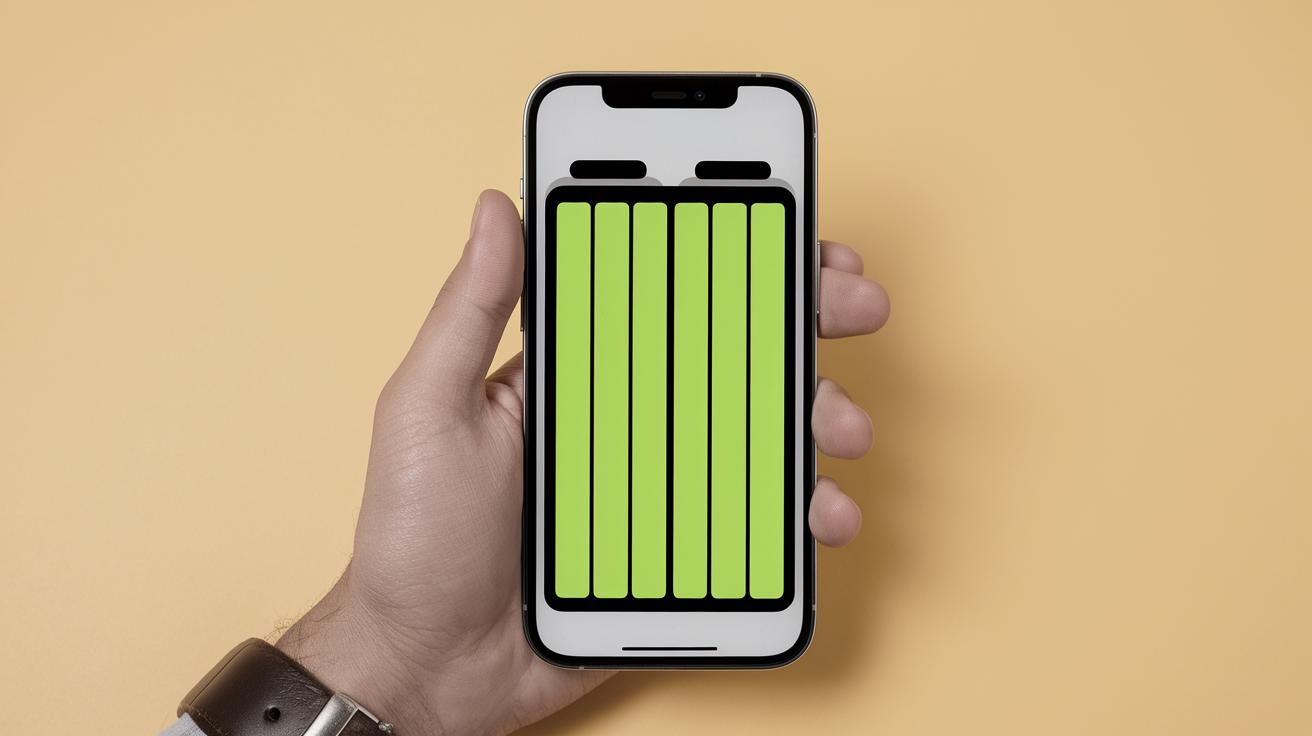
Understanding Your iPhone Battery: Yellow Indicator and Optimization Tips
Your iPhone’s battery indicator is not just a functional icon but a significant notifier of your device’s status. If you’ve noticed your iPhone battery displaying yellow instead of green, don’t worry, it’s a message from Apple regarding the way your phone is using power. This blog post will explore why the battery indicator turns yellow, how to revert to the traditional green, the implications of staying in yellow mode, and top tips for maximizing your iPhone’s battery lifespan. We’ll also touch on some exciting Apple news updates that will keep you informed about the tech giant’s riveting developments.
Why is the iPhone Battery Indicator Yellow?
The yellow battery indicator on your iPhone is a signal that your device is in Low Power Mode. This mode was introduced by Apple to help users extend the use of their devices when the battery is running low. Low Power Mode reduces the energy consumption of your iPhone by slowing down the processor speed, reducing the background app refresh, and limiting visual effects.
This feature can be incredibly beneficial if you need your iPhone to last longer between charges, especially during periods when you’re away from a power source. It automatically activates when your battery level drops to 20%, but you can manually turn it on or off through the Settings or the Control Center at any time, regardless of your battery level.
How Do You Turn Off Yellow Battery Mode on an iPhone?
If you decide to switch off Low Power Mode and have your battery indicator revert to green, you can do so through a couple of simple steps. First, you can navigate to Settings > Battery and toggle the Low Power Mode switch to the off position. Alternatively, you can access the Control Center by swiping down from the top-right corner of your screen and tapping on the battery icon to disable it.
Upon turning it off, your phone will resume its regular power usage, and the battery indicator will shift from yellow back to green. Keep in mind that turning off Low Power Mode will lead to a faster depletion of battery life as your device resumes normal operations and app refresh settings.
Can I Keep the iPhone on Low Power Mode the Whole Time?
Keeping your iPhone permanently on Low Power Mode is possible, but it’s not generally recommended. While it extends your battery life, it achieves this by reducing the phone’s overall performance and limiting its functionality, which can be frustrating if you rely on your iPhone for intensive tasks or want to enjoy its full range of features.
However, if your primary concern is maximizing battery life throughout the day and your usage consists mostly of basic tasks such as calling, messaging, and light browsing, then staying in Low Power Mode can indeed benefit you. It’s a matter of prioritizing either performance or extended battery usage based on your individual needs.
Why is the iPhone’s Battery Yellow at 100%?
It’s not uncommon for users to be puzzled when their battery indicator remains yellow even when the battery is fully charged. This happens because Low Power Mode has been manually activated, and it persists regardless of how full the battery charge is. This is unlike the automatic activation at 20%, which switches off once your device is sufficiently charged.
To return to normal operation and enjoy full performance at a 100% charge, simply turn off Low Power Mode using the steps previously mentioned. This will then revert the battery indicator color to green, signaling a return to regular power usage and device functionality.
Best Way to Charge iPhone’s Battery to Maximize its Health
Proper charging habits can significantly extend the lifespan of your iPhone’s battery. It is recommended to adopt practices such as avoiding extreme temperatures, using Apple-approved chargers, and unplugging your device when it reaches around 80% to avoid stress on the battery.
Furthermore, keeping your iPhone on a charging routine, instead of allowing it to frequently deplete to 0%, can prevent long-term battery degradation. Implementing these small tactics can ensure your device not only operates efficiently daily but also maintains its battery health for more extended years of use.
iPhone Prices Won’t Increase as US-China Tariff War Paused
In recent news, Apple users can rejoice with the announcement that iPhone prices are expected to remain stable due to a pause in the US-China tariff conflict. This offers much-needed relief to consumers who had anticipated a potential spike in product pricing due to the ongoing trade tensions.
This development not only underlines Apple’s ability to navigate international challenges but also reinforces its commitment to consumer affordability in a competitive market.
iOS 18.5 Isn’t the Biggest “Point Update”, but What’s Coming?
While iOS 18.5 might not be the most groundbreaking “point update,” it sets the foundation for exciting new features expected in future releases. The update improves minor bugs and brings smoother user experiences to existing functionalities like FaceTime and iMessage enhancements.
Apple’s incremental approach to updates ensures users continuously receive quality of life improvements while building up to larger, more impactful features in subsequent updates.
Apple Simplifies Public Wi-Fi Access in iOS 19
Anticipating the upcoming iOS 19, Apple is focusing on the user convenience of public Wi-Fi connections. The new update is projected to simplify and streamline the process of connecting to public networks through smarter automatic recognition and improved security protocols.
This marks a significant move toward making online connectivity more accessible and safer for iPhone users worldwide, particularly in urban and travel environments.
Eddy Cue: Apple iPhones May Not Needed in a Decade
In a bold forecast, Eddy Cue, Apple’s head of Internet Software and Services, stated in an interview that Apple iPhones may become obsolete in a decade. This prediction is fueled by the fast-paced advancements in augmented reality, AI, and wearable technology that may soon redefine the way we interact with technology.
Apple’s continued investment in groundbreaking innovations like the Vision Pro headset and AR glasses suggests a transformative shift in personal tech compatibility, potentially leading to the emergence of entirely new categories of consumer electronics.
Apple Discontinued the iPod Three Years Ago.
Reflecting on historical shifts, Apple marked a significant transition three years ago when it officially discontinued the iconic iPod. The iPod revolutionized portable music, laying the groundwork for the multifaceted functionality of today’s iPhones and iPads.
This discontinuation symbolizes Apple’s relentless pursuit of technology evolution and adaptability in meeting the ever-changing demands of global technology users.
For those looking to optimize their iPhone usage and stay informed about upcoming Apple innovations, the following summary highlights key takeaways discussed in this post.
| Topic | Key Points |
|---|---|
| Yellow Battery Indicator | Indicates Low Power Mode, which conserves battery. |
| Turning Off Low Power Mode | Can be done via Settings or Control Center, restoring full phone performance. |
| Keeping Low Power Mode On | Prolongs battery but limits functionality. Best for basic tasks. |
| Yellow at 100% Charge | Low Power Mode is manually active; turn it off to return to normal. |
| Charging for Battery Health | Avoid extreme conditions; maintain regular charging routine for longevity. |
| Recent Apple News | Price stability in tariffs, incremental updates, future connectivity, product evolution. |